Di Trip Planner
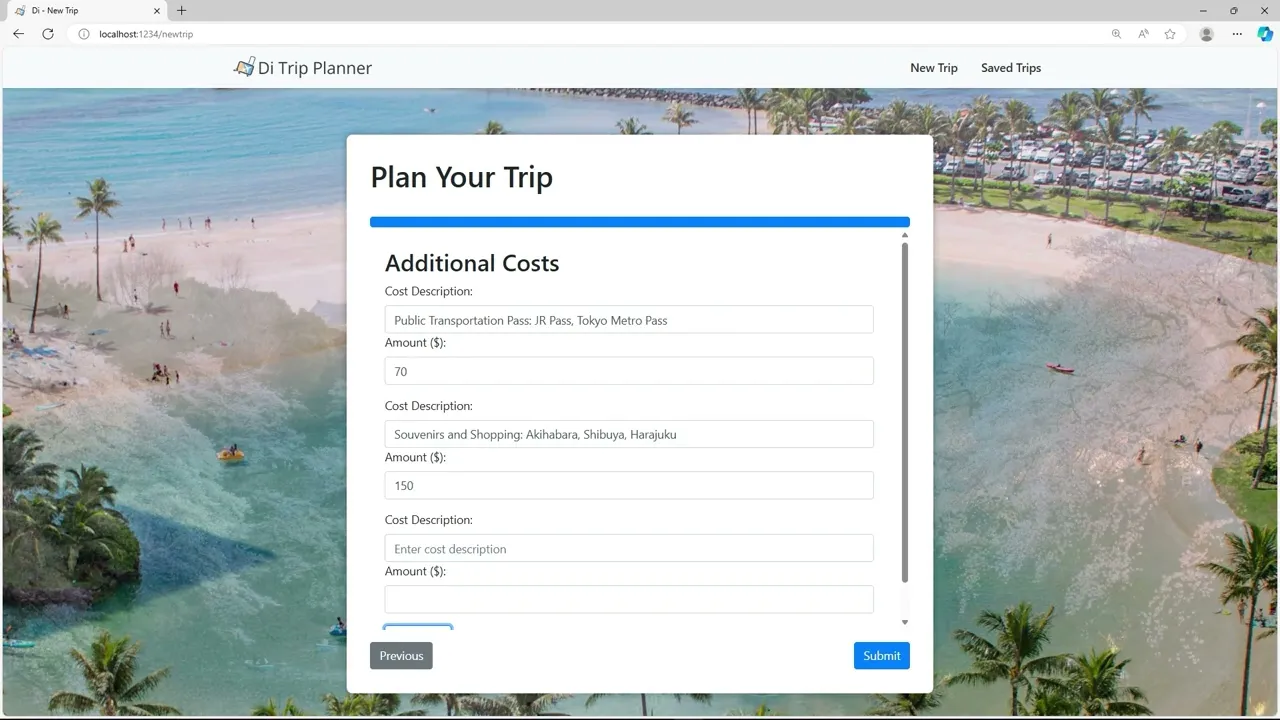
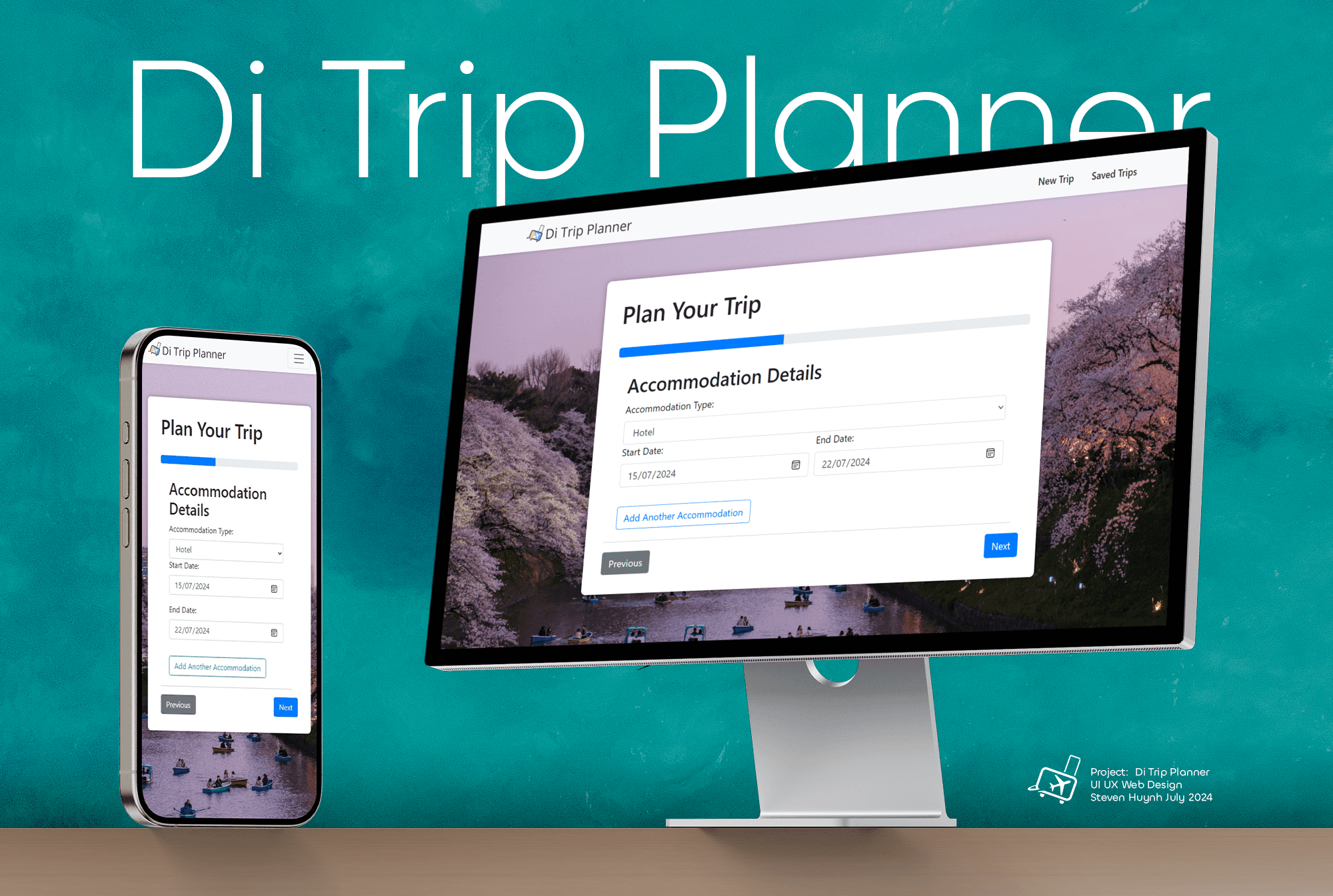
A single-page architecture web application designed to help users plan and manage their holiday trips efficiently.
👤 UI Designer, Full-Stack Coder
🕒 February - June 2024 (16 Weeks)
⭐ High Distinction for Advanced Web Design
Project Overview 📘
Timeline ⏳
Over 16 weeks, I designed, developed, and iterated on a fully functional web application, balancing both UI/UX design and full-stack coding responsibilities.
Background 🌍
As the sole designer and developer on this project, I built Di (Vietnamese word for 'Go') Trip Planner from the ground up—conducting research, defining user needs, and coding a streamlined, interactive travel planning experience. By integrating front-end and back-end technologies, I ensured a seamless and intuitive platform for travellers.
Achievements 🏅
Di Trip Planner achieved a High Distinction
for Advanced Web Design at the University of Sydney
⭐ Click to View Accolade
The Problem 🚨
Travel planning shouldn’t be more stressful than the trip itself.
While exploring new destinations is exciting, planning trips—especially multi-destination ones—can be overwhelming. Current tools often focus on one aspect of travel, like booking flights or accommodation, while neglecting budgeting, activity planning, and a cohesive itinerary structure.
The result? Disorganized trips, missed opportunities, and a lot of stress for travellers.
The Solution ⭐
All-in-One Holiday Planning, Built with Real Code.
Di Trip Planner simplifies complex travel planning into an intuitive, fully interactive platform built entirely with front-end and back-end technologies. Here’s how:
1️⃣ Personalized Itineraries: Create seamless, multi-destination plans tailored to individual preferences.
2️⃣ Integrated Budgeting Tools: Track expenses across accommodations, meals, activities, and transportation in real time.
3️⃣ Community Sharing: Share and access curated itineraries to inspire others and gain new travel ideas.
4️⃣ Interactive UI: A sleek, single-page design coded for speed and responsiveness eliminates unnecessary navigation.
Video Walkthrough 🎥
Context 🌍
Post-COVID-19, international tourism has surged, with countries like Japan seeing a rapid revival in inbound travel demand (Nguyen, 2020). However, existing tools often lack holistic functionality, leaving travellers to juggle multiple platforms to plan their trips.
Purpose 💡
Di Trip Planner bridges this gap by offering an all-in-one solution for effortless itinerary planning. Designed as a single-page web app, it enables users to plan multi-destination trips, track budgets, and access curated itineraries—all within an intuitive interface.
Target
Audience 🎯
🧭 First-time travellers seeking structured guidance while maintaining flexibility.
🌍 Experienced travellers who want a personalised and efficient trip-planning tool.
Development Focus 💻
Built from the Ground Up with Code
This isn't just a visual prototype—it’s a fully functional web application. Leveraging HTML5, JavaScript, Node.js, SCSS, and React, I ensured every feature was brought to life with real-world functionality:

Dynamic Data Modelling: Using JavaScript to handle budget calculations and travel details dynamically.

Responsiveness: SCSS ensured a seamless user experience across devices, from desktops to mobile.

Single-Page Architecture: React powered smooth, fast transitions between steps without reloading the page.

Interactive Features: From drag-and-drop itinerary planning to live budgeting tools, every interaction was hard-coded for usability.
Design Process ⏳
I followed the DTMBR Methodology (Design → Think → Make → Break → Repeat) to ensure a user-centered and iterative design approach:
1️⃣ Research & Ideation (Weeks 1-3)
Conducted market analysis on post-pandemic travel trends and user pain points.
Surveyed 20+ travellers to identify common planning struggles.
Mapped out the user flow to simplify trip structuring.
2️⃣ Wireframing & Prototyping (Weeks 4-6)
Designed low-fidelity wireframes in Figma to test layout concepts.
Iteration 1: Users found the initial UI overwhelming, so I introduced step-by-step navigation.
Iteration 2: Budget tracking was too complex, so I refined it into a single, interactive dashboard.
3️⃣ Development & Testing (Weeks 7-12)
Coded the front-end in React.js & SCSS for responsiveness and fluid animations.
Built the backend in Node.js with structured data modelling for real-time budget tracking.
Iteration 3: Usability testing with 5 users revealed confusion in itinerary editing—added budget tracking for better automation.
4️⃣ Refinement & Finalization (Weeks 13-16)
Performance optimized in JavaScript (Reduced initial load time from 4.2s → 2.1s).
UI polish (Incorporated feedback to enhance contrast and hierarchy, added dynamic backgrounds and progress bar).
Iteration 4: Implemented a dynamic CMS structure, allowing users to create, store, and manage multiple itineraries seamlessly without performance issues.
Information Architecture 🏢
The primary purpose of this user flow is to guide users through a holistic trip planning process, beginning with determining the number of travellers and culminating in detailed itinerary creation for ease of access. By breaking down the sequence into smaller steps, the flow allows users to input important details without feeling overwhelmed.


Each step of the user flow is designed meticulously to account for various aspects of travel planning, from selecting dates and destinations to budgeting for meals and accommodations. This structured approach enables the application to provide accurate cost estimations and serves as a user-friendly platform for easy data entry and tracking.
Data Model Table
Similarly to the user flow, the data model is constructed to capture all the budgetary requirements for effectively planning a trip. This ranges from the trip duration to specific costs of meals and activities budgeting. Similarly to the user flow, the data model is constructed to capture all the budgetary requirements for effectively planning a trip. This ranges from the trip duration to specific costs of meals and activities budgeting.
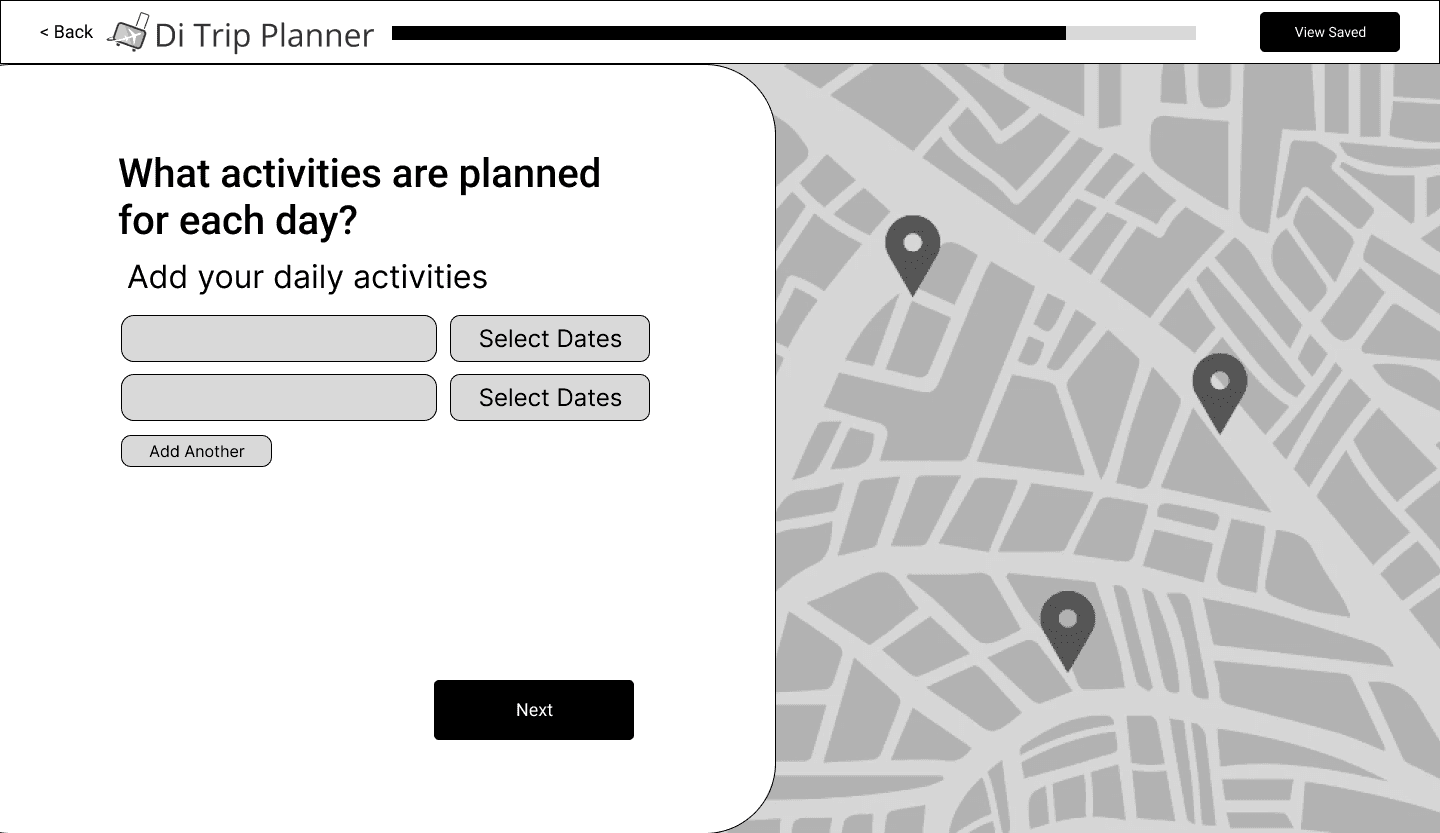
Low-Fidelity Wireframes
Here are some early wireframes of the web app, including all key sections and a styled form design. These wireframes allowed me to efficiently communicate my ideas with others to gain valuable feedback.




Usability Testing 📐
During usability testing with 10 users, I gathered key insights that shaped the next iteration of Di Trip Planner:
🛫 60% of users found the itinerary builder intuitive, but some struggled with navigation.
💰 70% of users successfully understood the user flows, but they wanted a clearer overview of expenses.
🌍 Overall System Usability Score: 72/100 (users struggled with layout & excess screens).
Key Expert Testing Insights
🔹 The globe was visually dominant but not essential to the core planning experience.
🔹 Left-aligned layouts felt unnatural—users preferred a centered structure.
🔹 Font sizes were too large, leaving too much whitespace and reducing content density.
🔹 Too many screens created unnecessary steps in the flow.
Development & Testing 🛠️
Based on expert and user feedback, I made the following targeted improvements:
✅ Removed the globe to reduce clutter and streamline the MVP.
✅ Centered-aligned content for better readability and visual balance.
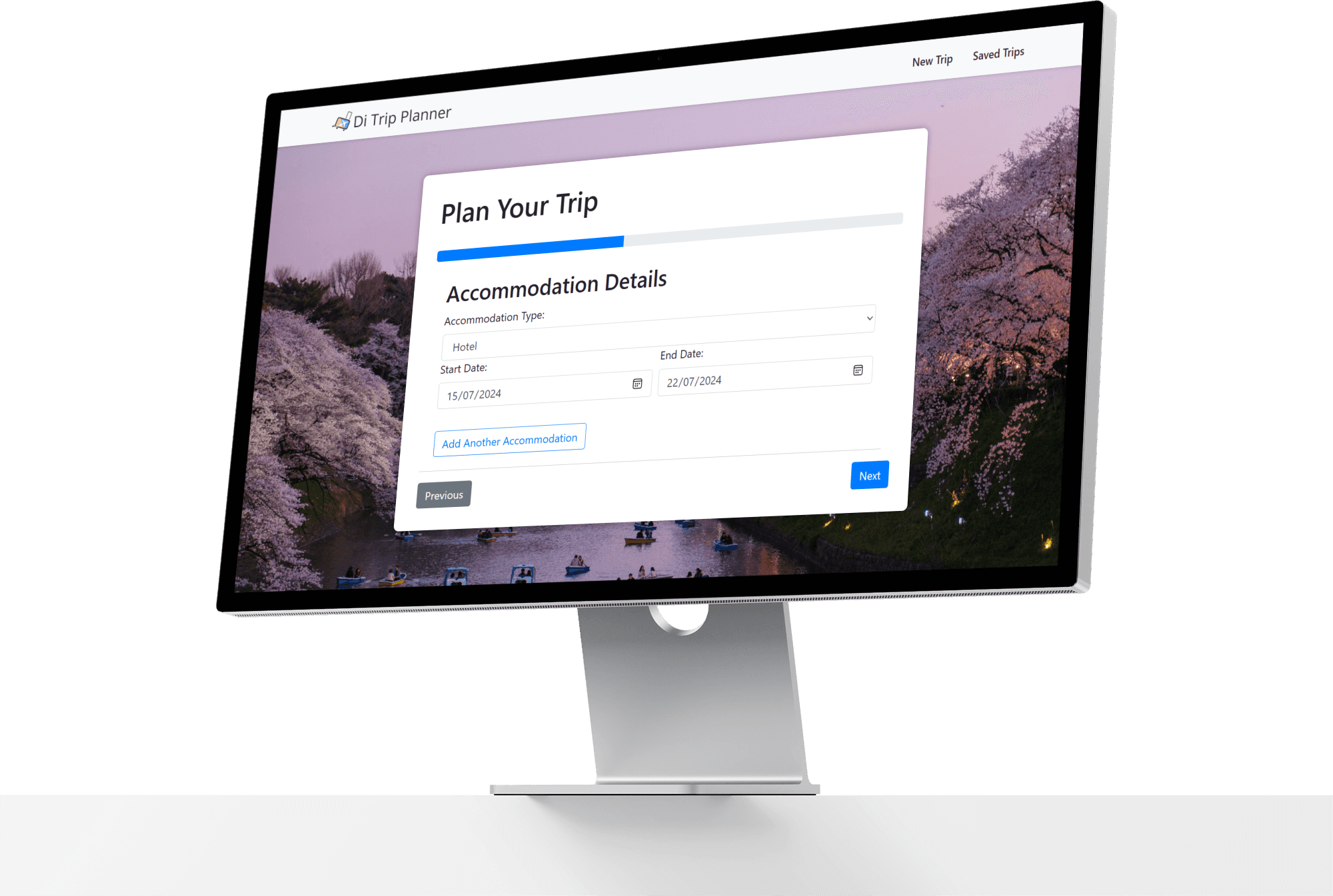
✅ Added a progress bar to help users track their planning journey.
✅ Combined multiple screens into fewer steps, reducing friction and improving efficiency.
✅ Adjusted font sizes and spacing, increasing content density without overwhelming users.
Impact of These Changes
🛫 85% of users found the centered layout & progress bar improved navigation.
💰 85% of users found the new dashboard & combined screens made budgeting more intuitive.
🌍 Overall System Usability Score: 82/100 (improved readability, progress tracking, and efficiency).
The Final Product ⭐
Key Features ✨
Dynamic Itinerary Builder 📍
Input trip details like dates, destinations, and activities to generate a visually rich and editable itinerary.
Centralized Budget Tracker 💰
Track and manage all expenses in real-time, from flights and accommodations to meals and activities.
Seamless UI Design 🖥
A single-page layout ensures ease of use, eliminating unnecessary navigation while presenting all essential details in one place.
Community Sharing 🌍
Access and share curated itineraries to inspire others and gain new travel ideas.




Style Guide 🎨
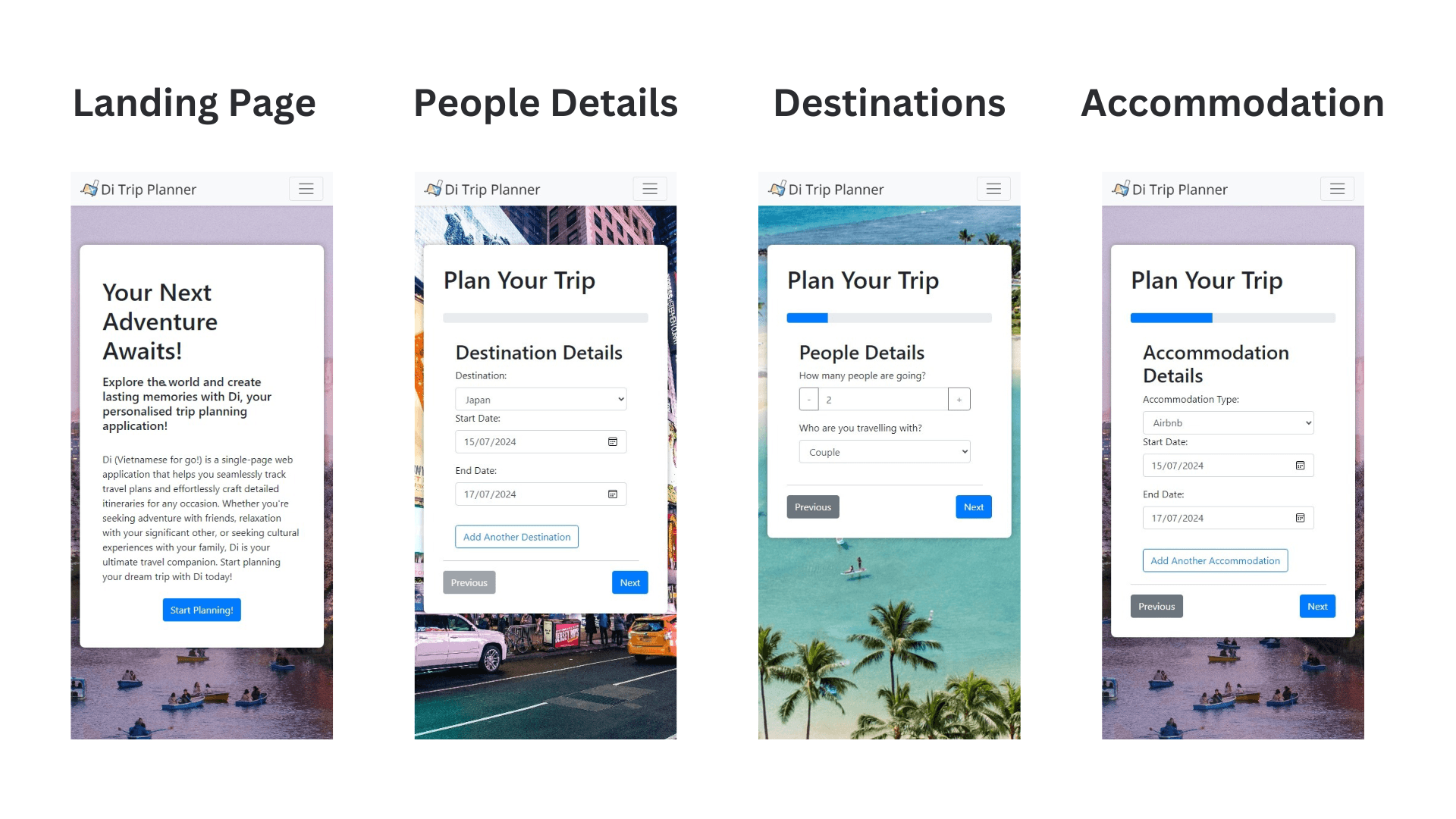
Di Trip Planner’s design balances clarity and adventure, using soothing blues and warm neutrals to create a calm, intuitive experience. The Gilroy typeface ensures readability, while minimalist layouts, structured hierarchy, and intuitive icons simplify navigation. Motion elements add a sense of progression, making trip planning effortless and engaging.

Final Website
GitHub Link
You can access the GitHub page for my application here: GitHub Repository. Feel free to download the application following the provided instructions.
Personal Reflection ✨
Some important lessons I learnt along the way
During this project, I was able to successfully integrate my diverse coding skills, combining HTML5, JavaScript, Node.js, SCSS, CSS, React, and other bundlers to create a cohesive product. It was a valuable experience that allowed me to see how different technologies can work together seamlessly in a single web app, improving both functionality and user experience.
Next Steps ⏩
1️⃣ Deploy on Live Server
Publish the application using platforms like GitHub Pages, enabling universal access.
2️⃣ Enhance Figma Prototypes
Align UI designs with feedback to ensure the final product is visually cohesive and polished.
3️⃣ Gather User Feedback
Introduce a feedback section for ongoing refinement and feature prioritization.
4️⃣ Expand Functionality
Integrate real-time API services for flight, accommodation, and activity bookings.

