




Inkspiration Creative Pen
Relearning the Joy of Creating for Creation's Sake…
👤 UX Designer, Video/3D Production
🕒 February - June 2024 (16 Weeks)
⭐ Top-ranking Portfolios in the Cohort

Project Overview 📘
Timeline ⏳
Over 16 weeks, we conducted research, conceptualized features, and iteratively designed prototypes to ensure the platform captured the essence of global unity while being practical and engaging for users.
Background 🌍
As the UI/UX designer in a group of two for this project, I conducted online ethnography, surveys, and focus groups to identify key challenges in the creative process. From ideation to prototyping, I integrated user insights into every step, crafting a product that champions both artistic freedom and community connection.
The Inkspiration Pen combats the pressure of unrealistic standards and AI-dominated art by celebrating imperfections and inspiring creators to rediscover the joy of experimentation and artistic freedom.
Achievements 🏅
The result? A 90.50% grade—one of the highest marks in my cohort.
⭐ Click to View Accolade
The Problem 🚨
In an era saturated with escalating standards which promote perfectionism, creators often lose sight of the pure joy in their craft.
“Profitability, recognition, demand — is how success is traditionally defined in the (art) field”
“Perfectionism may benefit one’s creativity, yet too much... perfectionism may inhibit it”
This emphasises the pressing need for creators to embrace imperfect improvisation and transcend the constraints of the digital era, where artistic expression is too often reduced to quantifiable metrics.
But what if we could reimagine success, not as a perfect end product, but as the joy found in imperfect progress?
What if we could relearn the joy of creating for creation's sake?
The Solution ⭐
Creativity Without Constraints 💡
The Inkspiration Pen is an interactive tool that welds imperfect improvisation and collaboration to unlock creativity. Its features make art-making fun, freeing, and social:
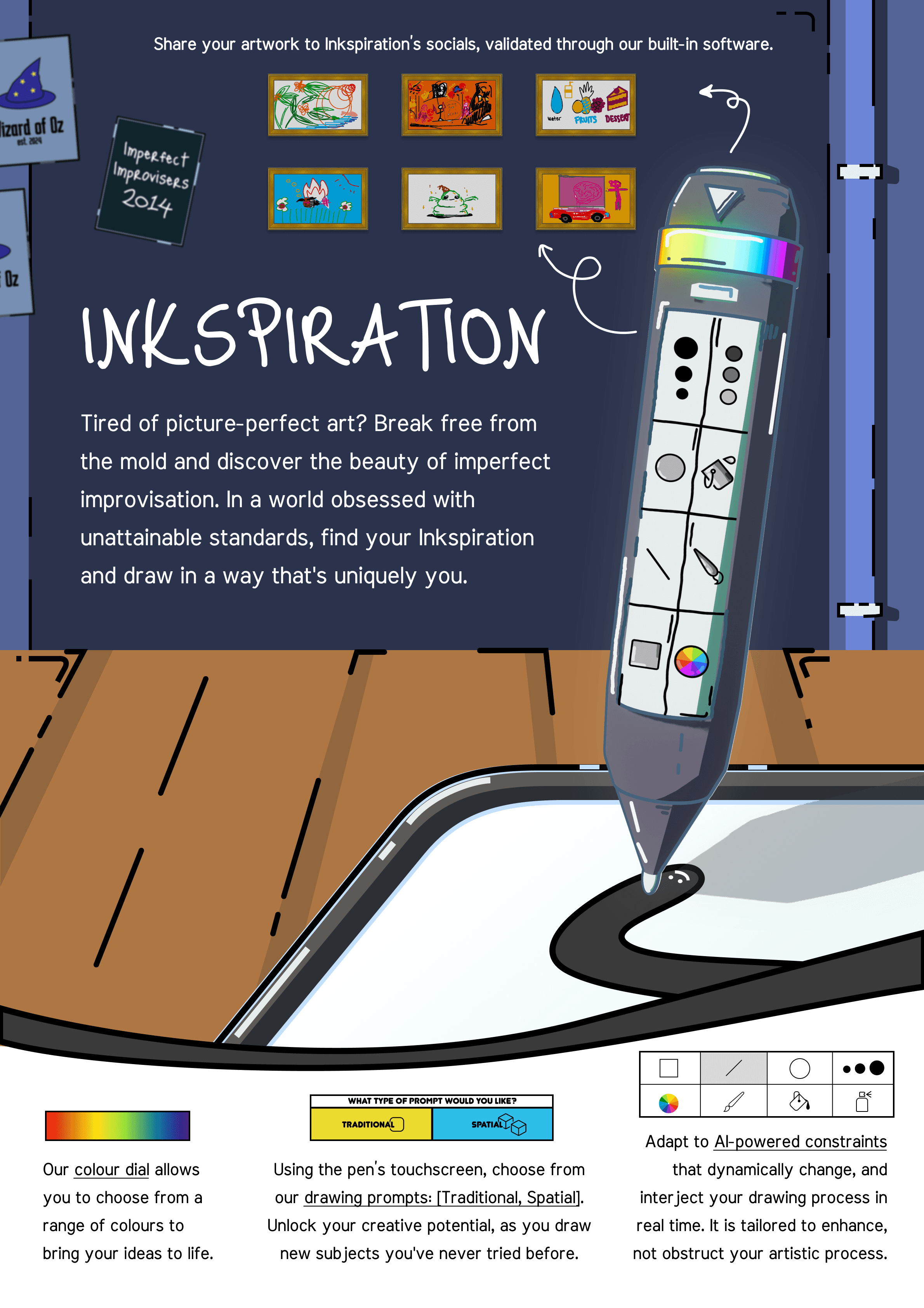
1️⃣ AI Recognition Prompts
Personalized suggestions inspired by your surroundings encourage spontaneity and experimentation.
2️⃣ Dynamic Shapes & Colours
The pen constantly shifts shapes, colours, and patterns at random intervals, encouraging creators to embrace imperfection.
3️⃣ Digital Paint Palette
A seamless, touch-friendly palette along with a rubber dial that integrates with all major platforms.
4️⃣ Shared Art Challenges
Users can join global challenges, share their creations, and connect with a community of like-minded creators—all while celebrating diversity in style and approach.
The Design Process ⏳
I used the Double Diamond approach to design thinking, guiding the project from discovery and research through to ideation, refinement, and the final high-fidelity prototype.
Discover 💭

Assess whether digital platforms facilitate or impede artistic enjoyment

Explore barriers hindering artists from reconnecting with their craft by:
Investigating how external demands (i.e. profit) affects the intrinsic enjoyment of art
Investigating how internal demands (i.e. motivation) affects the intrinsic enjoyment of art

Identify attributes that contribute to fostering artistic creativity and playfulness
To explore these objectives, we began by diving into their experiences, attitudes, and behaviours through a triangulated primary research approach, which included:


In total we conducted:
What were out findings? 💡
Affinity Diagram
Leveraging the data collected from our online ethnography, survey findings and focus groups, we conducted a thematic analysis and built an affinity diagram. This process allowed us to synthesize our research and uncover four key insights, drawn from six overarching themes.
Leveraging the data collected from our online ethnography, survey findings and focus groups, we conducted a thematic analysis and built an affinity diagram. This process allowed us to synthesize our research and uncover four key insights, drawn from six overarching themes.

Creators must wield new technology as a pioneering tool to transcend redundancy; Technology is a tool, not a barrier

Creators must target niche markets for the sustained success of their craft

Creators must adopt imperfect improvisation to catalyse growth beyond socially-projected standards of perfectionism

Creators need a community-driven platform that cultivates authentic connections and meaningful engagement

Define 📝
Problem Statement 🚨
In an era inundated with escalating standards which promote perfectionism, creators often lose sight of the pure joy in their craft. This emphasises the pressing need for creators to embrace imperfect improvisation and transcend the constraints of the digital era, where artistic expression is too often reduced to quantifiable metrics
Data Synthesis 🖼️
User Personas
Our user research revealed that many creators are trapped by unrealistic standards, with the digital age amplifying pressures for perfectionism. This often sacrifices their creative freedom and joy. To gain deeper insights, we explored this further through personas and user journey maps.

User Journey Map

Develop 🛠️
Let's start brainstorming!
We applied six ideation techniques to generate a range of ideas, with the concepts below representing the top picks from each approach, merged into two distinct ideas.
Initial Brainstorming Sketches
Decision Matrix
How Did We Decide the Best Idea?
To decide on the final concept, we used a Decision Matrix, which helped us prioritise potential features.

Through this, we found that Inkspiration was the most adept at enabling the rediscovery of joy, adaptability, and the most viable for reusability as a creative outlet.
Prototyping
Concept Iteration
Next, my team conducted four rounds of testing, progressing from low-fidelity to mid-fidelity iterations and finally to high-fidelity prototypes.

1️⃣ Storyboards Ideation
Building on the initial insights from user feedback on the sketches, I sought to expand the potential features for the physical prototype via brainstorming to evaluate and validate the core philosophy of our product, ensuring that every idea aligned with our goal of fostering creativity through imperfection and joy.




Opportunities for Pre- and Post-Experience Design
During user testing session, users highlighted the need for better pre- and post-experience elements to complement the pen’s functionality. Many users expressed confusion when the drawing started abruptly and felt the activity lacked closure once it ended.
Moving Forward...
How can we improve the pre and post experience of using the device?
2️⃣ Low-Fidelity Prototype
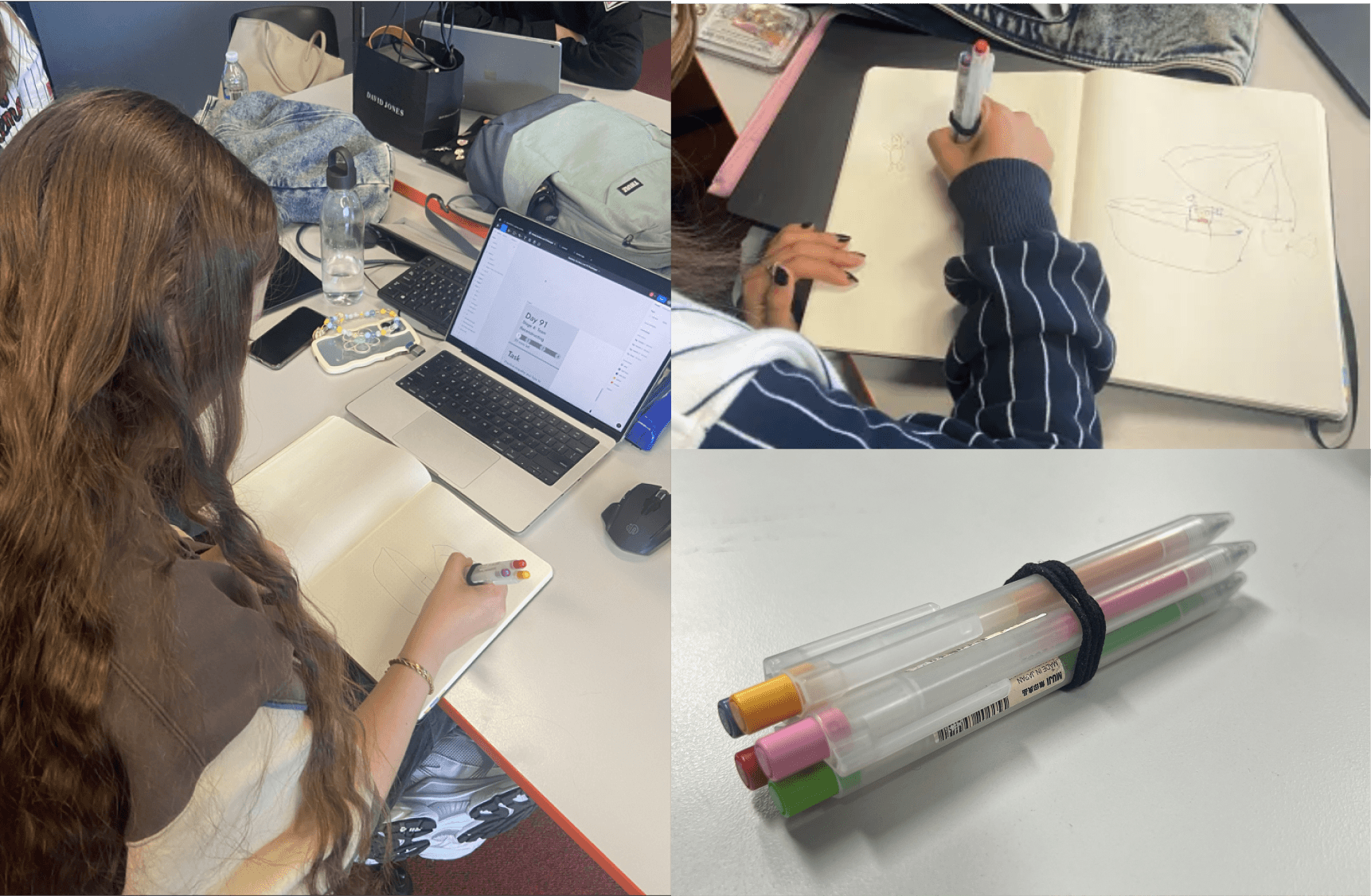
The low-fidelity physical prototype prioritized refining the creative activity's design loop rather than focusing on the pen's physical appearance.
Ballpoint pens held together by a hair tie.

PRE-EXPERIENCE
Provided users with clear instructions on completing the task.
DURING-EXPERIENCE
Adjusted time intervals:
30 seconds → 10 seconds to increase spontaneity.
Introduced alerts before the activity ended, allowing users time for finishing touches.
POST-EXPERIENCE
Encouraged users to create prompts for one another, fostering collaboration.
Showcased participants’ finished drawings to inspire discussion and feedback.
🎨 58% of users felt less pressure to create "perfect" art.
🖌️ 50% of testers experimented with new techniques.
😊 67% of users found the creative process more enjoyable.

User 1
Different modes could be offered

User 2
I ran out of things to do because I could only use two colours

User 3
More time, colours, and techniques

User 4
I wanted time to adapt to the prompt

User 5
Stressful without guidance
Moving Forward...
How could we offer different modes, implement clearer guidance, extend time allowance, and expand the variety of drawing instructions?
3️⃣ Mid-Fidelity Prototype
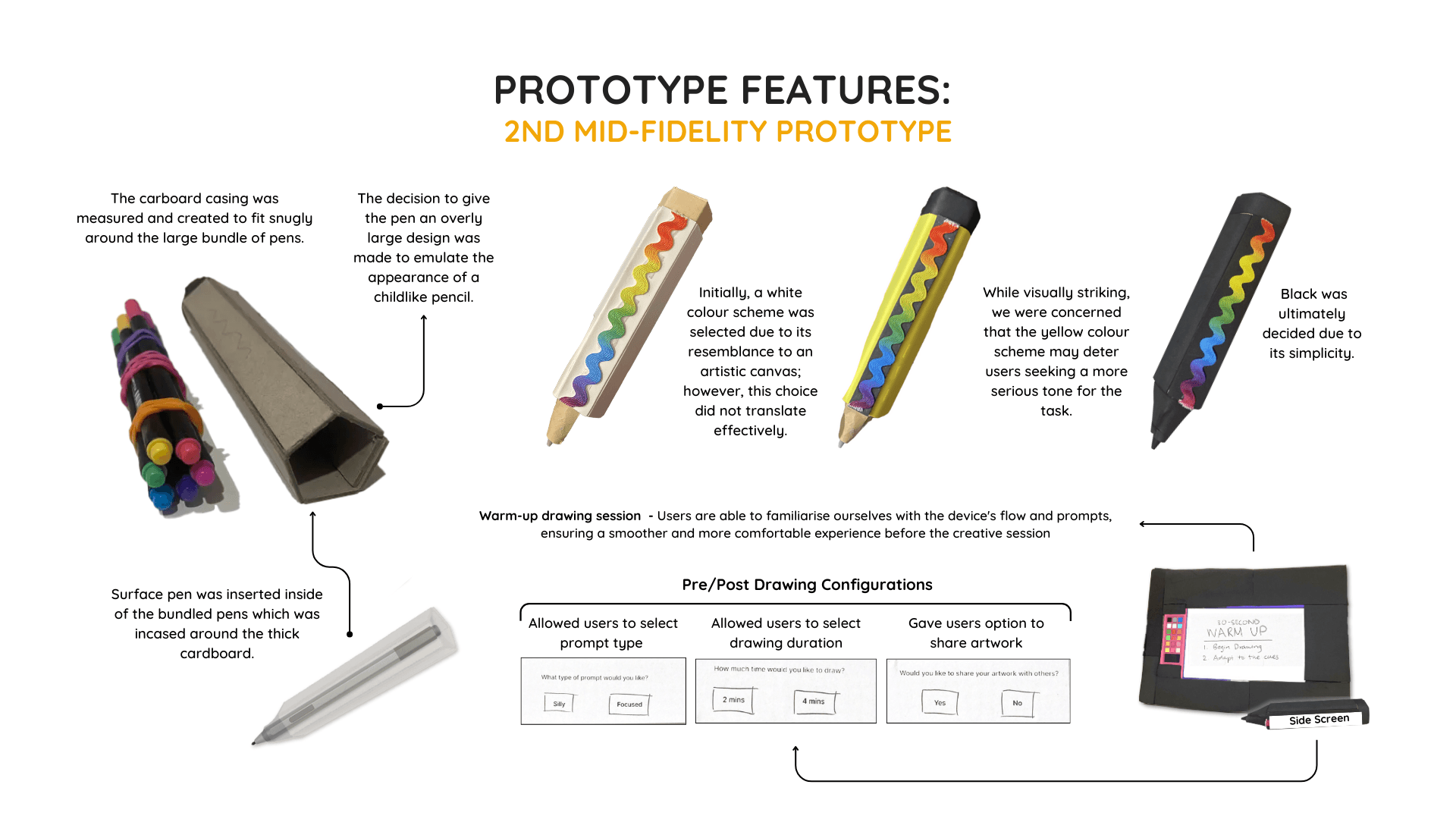
Surface Book and Surface Pen, paired with remote-controlled inputs.

GREATER VARIETY OF CUES
Added tools like paint bucket, stroke, line, and pencil, expanding creative possibilities and encouraging experimentation.
BACKEND COORDINATION (WIZARD-OF-OZ’ING)
A coordinator managed tool selection using Parsec remote desktop software, ensuring seamless, invisible tool-switching for users.
USER FLEXIBILITY
Testers interacted exclusively with the pen for movement and colour selection, maintaining a natural and uninterrupted user experience while backend processes remained hidden.
🎨 75% of users felt less pressure to create "perfect" art.
🖌️ 67% of testers experimented with new techniques.
😊 83% of users found the creative process more enjoyable.

User Testing Fair: Gathering Insights from Real Interactions
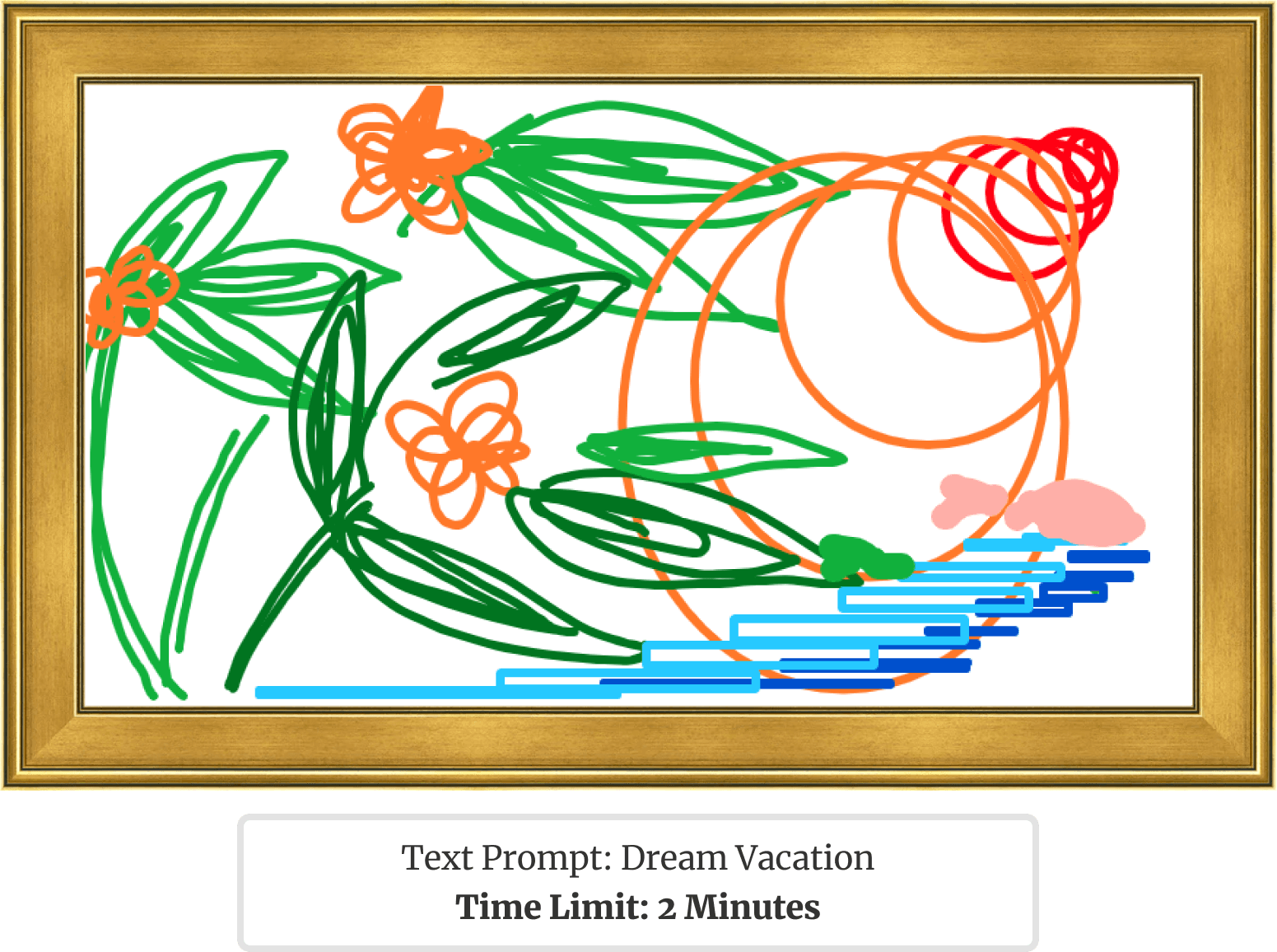
We showcased our product at a user testing fair, inviting participants to engage with it and gain hands-on experience with both its functionality and design. This event provided valuable opportunities to identify areas for improvement through direct user interaction. Below are some of the artworks participants created during their sessions:
Following the fair, we conducted an extensive user data collection process to transition into developing our high-fidelity mock-ups. Here’s how we approached the testing:
Post Experience Interview 🗣️

System Usability Scale 💻

Heuristics Evaluations 📋

Post Experience Interview Highlights
The interviews included both structured and unstructured questions, conducted by me as I observed participants navigating the product. By closely monitoring their struggles and moments of hesitation, I was able to ask targeted follow-up questions to better understand pain points and areas for improvement.
“The cues made me not think about the prompt in a structured but in a divergent creative way”
“It requires me to understand each cue very quickly, so there are some limitations”
“It was more my process rather than the outcome and how much fun I had getting there”

“I would like to see the timer between cues changing and how to make the most of your time”
System Usability Scale Score
We achieved an average System Usability Scale score of 83.50, indicating strong usability and positive user feedback. However, insights from cognitive walkthroughs highlighted areas that required further refinement to enhance the user experience.

Heuristics Feedback
Using Nielsen’s heuristics as a guideline, we identified gaps in usability and functionality, focusing on issues such as clarity of instructions, feedback consistency, and error prevention to inform future iterations.

Visibility of System Status
PROBLEMS
The visibility of the creative pen's side screen is too small

User Control & Freedom
PROBLEMS
No back button inhibiting autonomy
Some users experienced technical difficulties unrelated to the experience

Error Prevention
PROBLEMS
No confirmation after selecting options
No way of changing options, especially after drawing starts
Deliver 📦
4️⃣ High-Fidelity Mock-up
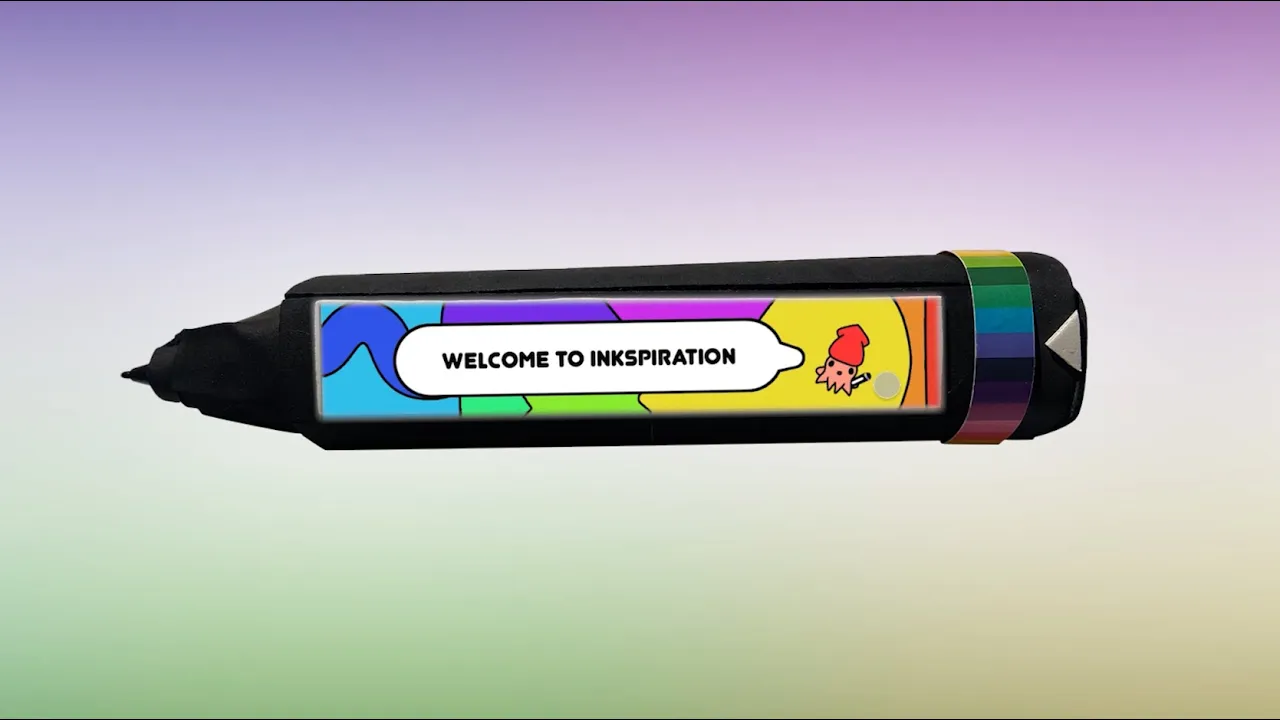
Stylised 3D Render created in Blender

RE-IMAGEINED AND RE-DEFINED
A stylized representation that celebrates rediscovering the joy of creation while emphasizing the pen’s innovative design principles.
ALL IN ONE FEATURES
The Inkspiration Pen consolidates tools, prompts, and constraints into one cohesive device, offering everything an artist needs to create seamlessly.
AI INTEGRATION
Advanced AI-driven features provide real-time guidance, dynamic prompts, and tailored constraints, elevating the creative process and fostering collaboration.
🎨 92% of users felt less pressure to create "perfect" art.
🖌️ 83% of testers experimented with new techniques.
😊 100% of users found the creative process more enjoyable.

Video Walkthrough 🎥
The Final Solution ⭐

Standalone Product
Designed as an independent device, the Inkspiration pen eliminates the need for companion apps or external hardware.
This streamlined approach empowers artists to create anytime, anywhere, free from unnecessary distractions.


Top Digital Face (Constraint Display)
The top screen serves as a quick reference for the currently active constraint, such as the paint bucket tool or eraser.
By minimizing distractions, this feature enhances focus and efficiency during the creative process.
RGB Colour Dial with LED Halo Ring
A rubber dial, encircled by vibrant LED halo rings, offers seamless colour selection.
As users turn the dial, the LEDs dynamically shift to display the selected colour, creating an intuitive and tactile experience.
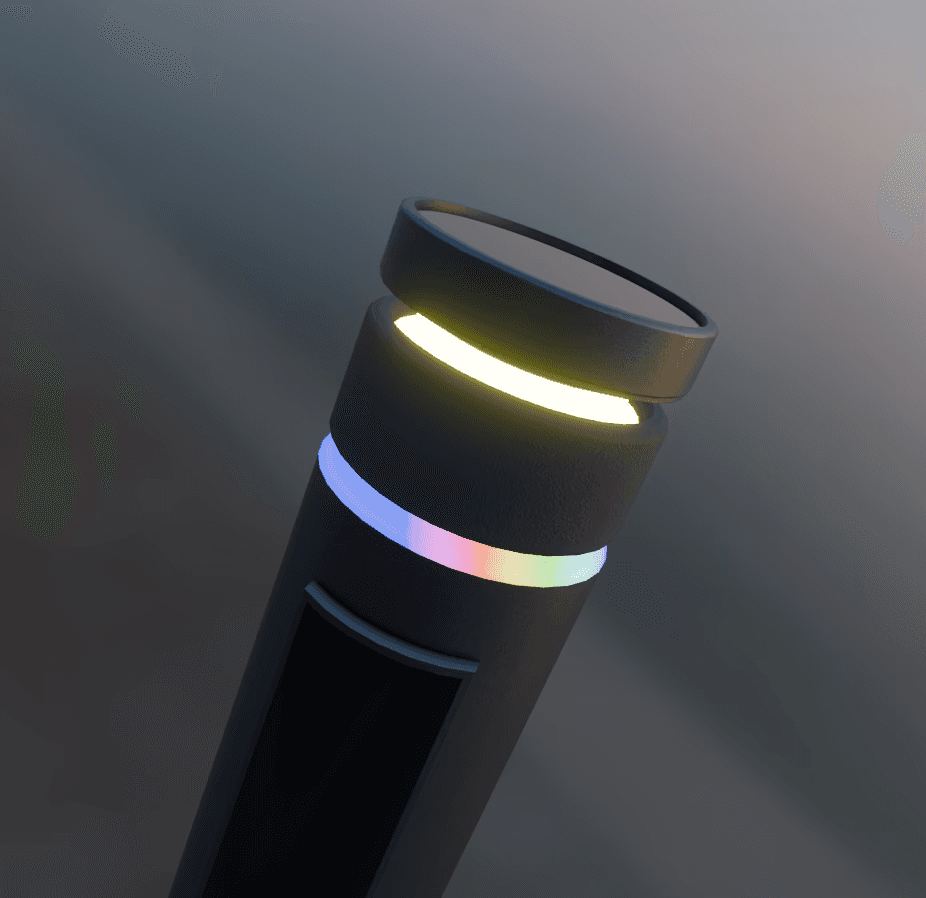

Side Screen
A dynamic display integrated into the side of the pen provides a grid of all available constraints and tools in real-time.
This feature ensures users have a holistic understanding of their options without interrupting their creative flow.
Personal Reflection ✨
Some important lessons I learnt along the way
From Imagination to Creation 🎨
I realized that while the stylized, toon-inspired renders captured the themes of relearning and rediscovering the joy of creation, it didn’t align well with the practical needs of a product ready for real-world use. This led me to create a more realistic render that feels achievable and marketable as an actual product.
Balancing Creativity with Functionality 💻
Simplifying features and focusing on the user’s creative journey taught me the importance of balancing innovation with functionality. The refined version integrates seamlessly into the artist's workflow while staying true to the concept of reigniting creativity.
Next Steps ⏩
The Inkspiration Pen could redefine how creators around the world approach art, blending tradition and technology to foster a global movement for uninhibited creativity. If Inkspiration were to be further developed, I’d love to:
1️⃣ Refine Figma Prototype
Redesign the UI for the accompanying app to align with the new realistic aesthetic while ensuring it remains intuitive and professional.
2️⃣ Physical Prototype Development
Create a 3D-printed model of the pen, incorporating a microcomputer running an AI language model with integrated cameras and sensors for interactive functionality.
3️⃣ Cross-Platform Compatibility
Ensure seamless integration with iOS, Android, and Windows devices, enabling creators to use the Inkspiration Pen with their existing digital workflows.

